How to Make Money Selling Photos Online (Phone Camera Friendly, 2026)
Sell phone photos and stock images for real money. Tested platforms, realistic earnings, and which categories actually sell in 2026.
Disclosure: Some links below are affiliate links — if you click and buy, we may earn a small commission at no extra cost to you. We only recommend tools we've actually used. Read our full disclosure.
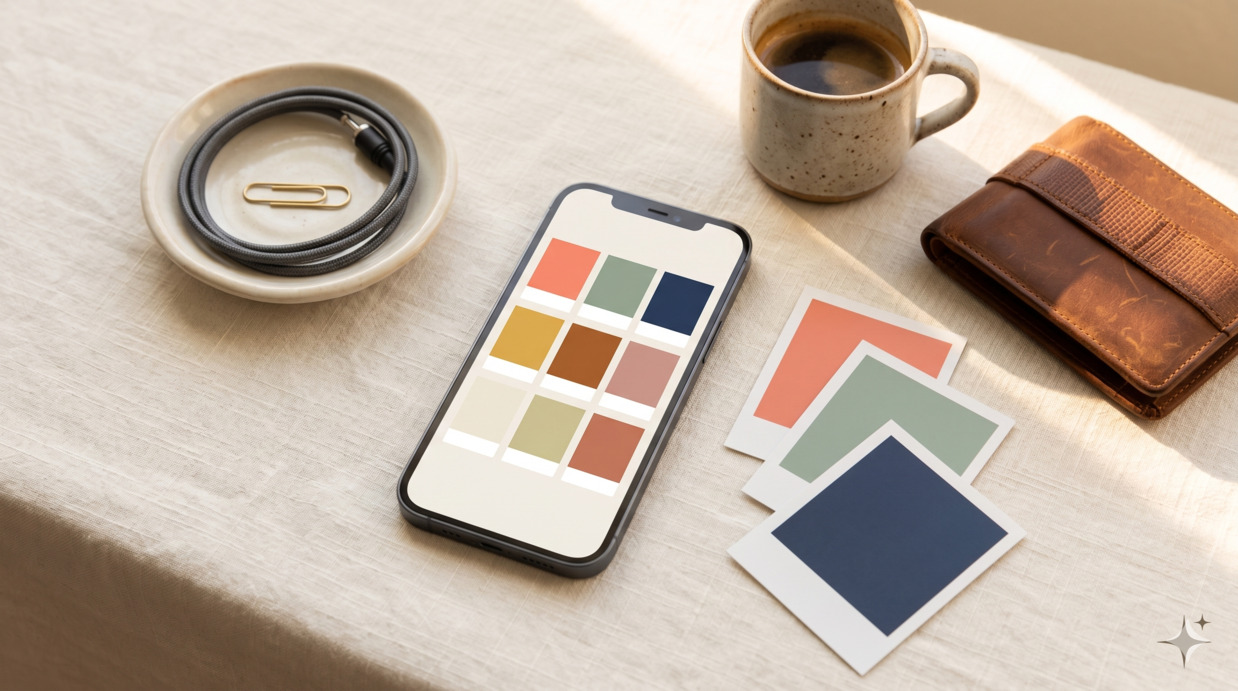
The promise of "sell your phone photos for thousands of dollars" has been a staple of make-money-online marketing for years, and like most staples in this category, the reality is more modest than the headline. After 6 months running real stock-photography accounts on the major platforms, T.V. found that the honest income from phone-camera stock photography in 2026 lands in the $20-300/month range for most contributors — meaningful as supplemental income, not life-changing. The contributors who clear $500+/month exist, but they're disproportionately specialised: food photographers shooting on a consistent schedule, lifestyle photographers with strong model networks, or photographers in underrepresented categories where commercial demand exceeds supply. Below is the honest 2026 playbook.
What stock photography actually pays in 2026
Microstock pricing has been compressed for years and continued compressing through 2024-2025 as AI-generated imagery flooded the market. The current shape:
- Shutterstock typically pays $0.10-$2.50 per download. Contributors earn 15-40% royalties depending on tier. New contributors usually start at the low end and earn higher rates after hitting download thresholds.
- Adobe Stock pays 33% commission on standard licenses. Per-download earnings typically $0.33-$3.30.
- Getty/iStock pays 15-45% on royalty-free, higher on rights-managed. Per-download earnings highly variable: $0.20-$25+ for premium content.
- Foap uses a flat $5-per-mission or split sale model. Higher per-image, lower volume.
- Specialty platforms (Stocksy, Twenty20, Cavan Images, etc.) — invitation-based or curated — pay 25-50%+ per sale, with sales prices in the $20-200 range.
T.V.'s 6-month test, uploading 80-120 photos per month across Shutterstock, Adobe Stock, and Foap, produced these aggregate results:
| Platform | Photos uploaded | Total downloads (6mo) | Total revenue |
|---|---|---|---|
| Shutterstock | 480 | 187 | $128 |
| Adobe Stock | 480 | 96 | $164 |
| Foap | 60 (selected) | 8 sales | $50 |
| Cumulative | $342 |
That's about $57/month at a moderate-effort cadence. To reach $500/month would have required either 3-4x the upload volume or substantially better subject-matter focus on commercial-fit niches.
What actually sells in 2026
Stock photography is a buy-side business, not a beauty contest. Photos that win Instagram likes don't necessarily sell on Shutterstock; photos that look generic to your eye often outsell the artistic ones because buyers need them for very specific commercial uses. The categories with consistent demand in 2026:
Authentic lifestyle (highest demand)
Buyers want photos that look like real people in real settings, not posed studio scenes. This is partly an aesthetic shift and partly a counter-reaction to AI-generated imagery, which struggles with authentic-feeling lifestyle scenes. Examples that sell: someone working from a kitchen table with normal household clutter visible, parents and children in unposed moments, friend groups in actual cafés, older adults using technology in genuine ways.
Diverse representation
Demand consistently exceeds supply for photos showing diverse ethnicities, body types, ages, abilities, and family structures in everyday situations. The supply gap is wider than most beginners realise — many sub-categories are explicitly under-served according to platform contributor surveys.
Food and drinks
Top-down and 3/4-angle food photography sells reliably. Phone cameras are particularly suited to this category — you don't need professional lighting equipment if you have one good window. Categories that move: home cooking (not restaurant plating), drinks (coffee, smoothies, cocktails) in casual settings, healthy eating, baking processes (mixing, kneading, in-oven shots).
Work-from-home and small-business scenes
Still strong demand 5+ years after the initial WFH boom. What's selling now: realistic small home offices (not aspirational designer setups), parent-working-with-kids-around scenes, small business owners doing actual work (not posed shots), tradespeople, freelancers in coffee shops.
Healthcare, elderly care, accessibility
Strong commercial demand, persistently under-supplied. Realistic clinical scenes, home-care scenarios, accessibility-aware spaces, multi-generational interactions.
Seasonal and specific holidays
Earnings spike around production cycles for marketing materials — typically 3-4 months ahead of the actual holiday. Christmas-themed photos sell August-October; Valentine's Day photos sell November-January.
What stopped working
Worth knowing not to waste time on these.
Generic landscape and travel. Saturated. Even genuinely beautiful travel photography sells less than it did in 2018-2022 because buyers now have access to 50,000 functionally identical shots of common destinations.
Abstract textures and backgrounds. AI-generated alternatives are functionally indistinguishable and free for buyers to generate themselves. Don't upload these as a primary strategy.
Posed corporate office scenes with white people in business attire. Heavily oversupplied for years. Replaced by AI-generated alternatives in the buying market for cheaper applications, and replaced by authentic lifestyle for more expensive applications.
Pet photos as a primary stream. Some demand exists but the supply massively exceeds it; cute animal photos are the single most-uploaded category on every platform.
Sunsets, flowers, beaches. Same supply problem. Don't make these a meaningful share of your portfolio.
The AI-generated image complication
The major platforms have tightened policies on AI-generated content through 2024-2025:
- Shutterstock: Has launched its own licensed-generation tool but explicitly prohibits unlicensed AI-generated submissions in most cases.
- Adobe Stock: Allows AI-generated submissions but requires labelling, contributor attestation, and excludes them from many commercial use categories.
- Getty/iStock: Has banned AI-generated content from contributor uploads.
- Foap: Real-photography focused; AI submissions prohibited.
The implication: if you're starting fresh as a phone-camera stock photographer, the AI policy environment actually favours you. Buyers increasingly want verifiable real photography, and supply of "real" content is — counterintuitively — getting tighter as AI displaces some categories. Your phone-camera shots have a small but real authenticity premium in 2026 that didn't exist in 2020.
Phone-camera technical baseline
You don't need expensive equipment to start. You do need:
- A modern flagship-tier phone (roughly iPhone 13 or newer, Pixel 6 or newer, Samsung S22 or newer). Older phones can produce sellable photos but often fail the quality-screening review on platforms like Shutterstock.
- Good window light. Natural light from a window during the morning or late afternoon is sufficient for most stock photography. Avoid harsh midday direct sun and yellow tungsten room lighting.
- A small tripod or phone stand ($15-30). Not strictly required but dramatically improves consistency, especially for top-down food shots.
- A clean editing workflow. Snapseed (free), Lightroom Mobile ($5/month), or Apple's built-in Photos app are all sufficient. Aim for slight contrast bumps, white balance correction, and gentle saturation adjustment — not heavy filtering.
What you don't need: a dedicated camera, expensive lenses, studio lighting, or any paid photography software beyond what's listed above. The constraint isn't the gear; it's the subject matter and the consistency of uploading.
The legal side: model and property releases
This is where many beginners trip and lose income.
Model releases
If a recognisable person appears in a photo and you want to license it for commercial use (which is most stock photography), you need a signed model release from each person. Phone-based release apps like Easy Release (Adobe Stock), Releases (Getty), or platform-specific in-app capture flows make this manageable. Without a release, the photo can be uploaded for editorial-only use, which earns 60-80% less than commercial use on most platforms.
Property releases
Recognisable private property (a specific house, a brand-name building, identifiable artwork, copyrighted books or products visible in the frame) typically needs a property release for commercial license. The practical implication: shoot in your own space, public spaces, or spaces you have explicit permission for. Avoid framing copyrighted material (book covers, branded packaging, art) prominently in shots intended for commercial license.
Trademarks and logos
A logo visible on a coffee cup, a phone case with branded packaging, a recognisable car emblem — all of these can complicate licensing. Either avoid them in framing, or be prepared to crop/edit them out before upload.
A 90-day starter plan
If you're starting from zero today:
Days 1-14: Setup and first uploads
- Sign up as a contributor on Shutterstock, Adobe Stock, and Foap. Each requires a brief application with sample photos. Approval typically 1-7 days.
- Set up a folder structure (raw / edited / uploaded) on your phone or computer. Track which photos went where.
- Shoot your first 50 photos. Focus on home-based scenes you can produce repeatedly: your workspace, your kitchen, basic food shots, lifestyle scenes with consenting friends/family (with releases).
- Edit and upload your first 20 photos. Don't perfect them; learn the platform workflow.
Days 15-45: Volume and learning
- Aim for 80-120 photos uploaded across platforms in the first 6 weeks.
- Watch your analytics. Which photos got views? Which got downloads? Patterns matter more than absolute numbers in this window.
- Develop two or three "shoot setups" you can produce reliably — for instance, a top-down food shot with consistent lighting, a workspace scene template you can vary, a lifestyle scenario you can repeat with different subjects.
Days 46-90: Iteration
- Identify your top 5 photos by sales (often surprising). Make 5-10 more in the same style.
- Identify your bottom 20 photos by views (zero in 30 days). Don't repeat those subject matters.
- Increase upload cadence to 30-50 photos per week if your process supports it.
- Apply to one premium/curated platform (Stocksy, Cavan Images) once you have a portfolio that demonstrates a consistent voice.
By day 90, healthy execution typically produces: 200-400 photos uploaded, $20-150 cumulative earnings, and a clear sense of which subject-matter directions are working. Compounding earnings start in months 4-6, not month 3.
Realistic 12-month expectations
For a phone-camera stock photographer with consistent execution, no professional background, and moderate effort (5-8 hours per week):
- Months 1-3: $5-50/month. Sales build slowly.
- Months 4-6: $30-150/month. Compounding starts.
- Months 7-12: $50-300/month for most contributors.
For specialised contributors who focus on high-demand categories (food shooting consistently, lifestyle with strong model network, healthcare/diversity niches):
- Year 1: $200-700/month by month 12.
- Year 2: $500-2,500/month with continued specialisation and growing portfolio.
Top contributors (top 5%) reach $3,000-15,000/month, but this is rare and typically requires either a niche specialty, a large portfolio (5,000+ images), or both.
Frequently asked
Can I really do this with just my phone?
Yes, with a modern flagship phone. Older phones (more than ~3 years old) often fail the technical quality reviews on platforms like Shutterstock. The platforms screen for resolution, sharpness, noise, and chromatic aberration; modern phones pass these checks for most shooting conditions.
How many photos do I need to start earning?
Earnings start at 50-100 uploaded photos in most cases. The first sale is often within 30-45 days of crossing 100 uploads. Below 50 photos, the variance is too high to predict anything.
Should I focus on one platform or upload to all?
Upload the same photos to all major platforms (Shutterstock, Adobe Stock, Foap). Most platforms allow non-exclusive licensing, which means the same photo can earn from multiple platforms simultaneously. Exclusive contracts (Stocksy, etc.) pay higher per-sale but lock the image to a single platform — only worth it once you've validated the platform fits your work.
What about Pinterest, Instagram, or selling prints directly?
Different game. Selling photo prints through Etsy, Society6, or your own site is its own category — typically lower volume but higher per-sale revenue, requiring different photography (artistic prints rather than commercial stock). For most beginners, stock photography platforms produce more reliable early revenue.
Are property releases really required for everything?
For commercial licensing, yes — anything recognisable and not in clearly public space. For editorial licensing (news, journalism use), no releases are required, but commercial earnings are typically 5-10x editorial earnings. The friction of getting releases is worth the pricing tier.
Can I sell AI-generated photos?
Most major platforms restrict or prohibit them in 2026. Adobe Stock allows labelled AI submissions but excludes them from many use categories. Shutterstock and Getty have effectively banned unlicensed AI uploads. Don't build a strategy on AI-generated submissions; the policy environment is moving away from accepting them.
How do taxes work for stock photo income?
In the US, you'll typically receive a 1099-NEC or 1099-K from the platform once you cross $600 in annual earnings (current 2026 threshold). Treat the income as self-employment for tax purposes. Track upload-related expenses (phone, accessories, software) as deductions. For most casual sellers, the income is small enough that quarterly estimated taxes aren't required, but annual 1040 reporting is.
What to do next
If you're interested but unsure whether to commit, the lowest-cost test is: shoot 30 photos this weekend in subject matter from the "what sells" list above, edit them lightly, upload to Adobe Stock and Shutterstock. Watch the analytics for 30 days. The data will tell you more than any further reading.
For the broader landscape — how stock photography fits alongside other creative income — our 27 ways to make money online for beginners is the pillar piece. For lifestyle photographers specifically, how to start a faceless Pinterest account covers how to use Pinterest as a distribution channel for your photography work.
Drop your email below to get one tested side-hustle idea per week.
How this article was made
Written by The Hustle Archive Team. Tested by T.V.. Fact-checked by M.A.. Originally published March 12, 2026, last updated April 22, 2026. Read our editorial policy and the methodology behind our rankings.
Sources
Found an error? Tell us— we update articles within a week.
Free download
50 ChatGPT Prompts Pack
The prompts we actually use — for editing, research, content, client work.
Read next
More from the archive
Make Money Online · 22 min
How to Make Money on YouTube Without Showing Your Face: The Honest 2026 Guide
What actually works for faceless YouTube channels in 2026 after the AI-content crackdown: the 5 channel formats that survived, realistic income timelines, the math behind monetisation, and the 4 strategies we'd skip.
Read more
Make Money Online · 21 min
How to Make Money on Amazon: 9 Real Methods Tested for 2026
What actually works (and what doesn't) for making money through Amazon in 2026: KDP, Associates, FBA, Mechanical Turk, the Influencer Program, and 4 more — with realistic income, time-to-first-dollar, and our honest verdict on each.
Read more
Make Money Online · 17 min
23 Side Hustles for College Students That Fit Around Class Schedules
Side hustles for college students organised by available time per week and skill level. Honest earnings, the methods that fit exam weeks, and the ones that don't.
Read more


