How to Start a Faceless Pinterest Account in 2026 (Step-by-Step)
The exact 30-day setup walkthrough we use for new faceless Pinterest accounts. Niche selection, pin design, scheduling, and the first 100 pins.
Disclosure: Some links below are affiliate links — if you click and buy, we may earn a small commission at no extra cost to you. We only recommend tools we've actually used. Read our full disclosure.
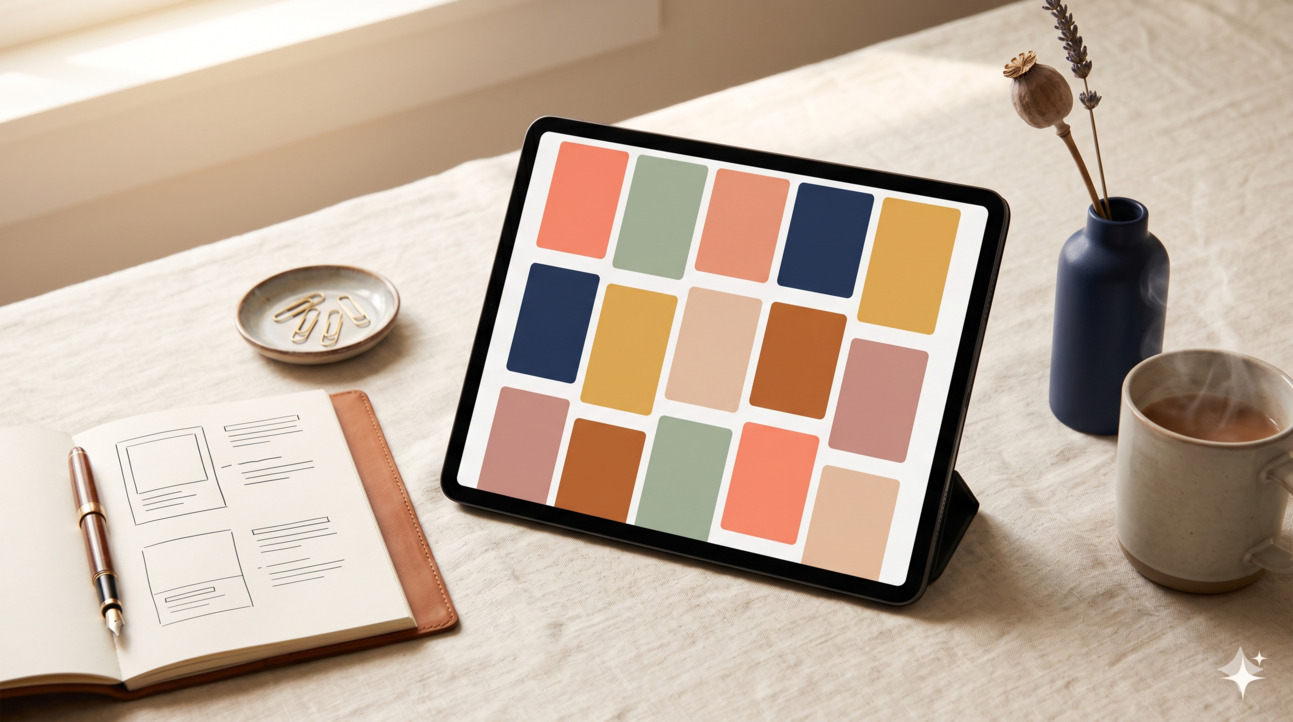
A faceless Pinterest account is one of the few side-hustle setups in 2026 where the time-to-first-traffic is short enough to be motivating (60-120 days), the operating cost is genuinely close to zero, and the work compresses well with AI assistance. T.V. has built six of these to first revenue — across home decor, sustainable living, productivity, faceless lifestyle, finance, and travel niches — and the process below is the de-duplicated playbook from those builds. We'll walk through the 30-day setup, with weekly milestones, then cover the most common ways readers stall in week 6 or 7.
What "faceless" actually means
Worth being precise here, because "faceless" gets confused with "anonymous" or "AI-generated." A faceless Pinterest account has three properties:
The brand identity is the niche, not the person. Pin titles say "10 cottagecore living room ideas," not "I redecorated my apartment, here's what I learned."
The visual system is consistent across every pin. Same fonts, same colour palette, same compositional rules. A new viewer should be able to identify your pin in a feed of competitors without seeing the account name.
The traffic destination is monetisable infrastructure, not a personal brand or social channel. A blog with affiliate links, a digital product, a lead magnet — something that generates revenue without requiring you to show up as a personality.
What faceless is not: AI-generated slop. The category that's saturated and increasingly penalised is the generic "10 ways to save money" pin pointing to a thin AI-generated blog post. That doesn't work in 2026. The faceless accounts that work have genuine editorial substance — the "facelessness" is just about brand presentation, not content quality.
If you're still deciding whether Pinterest is the right platform versus Instagram or another option, our Pinterest vs Instagram for beginners comparison covers the structural differences, with 18 months of paired-account data behind the recommendation framework.
Week 1: Niche, account, profile, branding
The decisions made this week determine whether weeks 5-12 produce results. Don't rush this and don't over-think it; aim for "good enough to start" by the end of day 7.
Day 1-2: Pick a niche
Three filters to apply, in order. For the deeper version with our 12-niche test data, ranking matrix, and 5-filter framework, see Best niches for Pinterest and blogging.
Filter 1: Pinterest user demand. The audience should be skewing female, 25-55, planning or making decisions in the niche. Pinterest's user base is heavily female (~76% of US users in recent reporting). A "men's fitness gear" niche has worse Pinterest economics than the same audience for women's fitness, even if the keyword volume looks similar.
Filter 2: Affiliate friendliness. Niches with mature affiliate programmes — home decor, beauty, fashion, travel, productivity software, kitchen, parenting, finance — convert at meaningfully higher rates than niches without. Hobby niches with no shoppable products (philosophy blogs, language learning) are harder.
Filter 3: Saturation tolerance. Avoid the four most-saturated categories unless you have a genuine differentiator: generic personal finance, generic weight loss, generic faith content, generic "make money online." These have specific sub-niches that work, but the head terms are competitive enough that a beginner won't break through.
A safer set of starter niches: cottagecore home decor, plant-based meal prep for families, capsule wardrobe styling, faceless productivity systems, sustainable living for renters, small-space gardening, indie author marketing, ADHD-friendly home organisation, frugal living for new parents, soft minimalism, slow living. We have 40 tested niches in the niche list PDF (linked below).
Day 3: Set up the business account
Use a brand-style email address (yourbrandname@gmail.com is fine if a custom domain isn't ready). Sign up for a Pinterest Business account, not a personal account — only Business accounts get analytics, Rich Pins, and ad eligibility.
Account name: brand-style, not personal. "Cottage Lane Home" is fine; "Sarah's Pinterest" is not. Pick a name that's available as a .com domain — even if you don't build a site immediately, owning the .com keeps options open.
Bio: 160 characters describing the niche and the value, not the person. "Slow-living home ideas for renters who want a softer space without renovation." That kind of thing.
Day 4: Claim your domain and verify
If you have a domain (and you should — buy one for $10-15 if not), claim it inside Pinterest's settings. This unlocks Rich Pins, attribution analytics, and sometimes higher distribution. The verification involves uploading a small file or adding a meta tag to your site.
If you're not ready to set up a site, claim a Beehiiv newsletter URL or a Carrd page in the meantime. Domain claiming improves distribution noticeably.
Day 5: Build the visual system
This is where most beginners lose 6+ hours. Don't. Pick:
- Two fonts. One serif (titles) and one sans (subtitles or accents). Default-friendly: Playfair + Inter, or Fraunces + Inter, or Cormorant + DM Sans.
- A 5-colour palette. Three primary, two accent. Stay tonally consistent — earthy palette stays earthy, modern palette stays modern.
- Three pin templates in Canva. Vertical 1000x1500. One photo-led, one text-led, one mixed.
- One logo treatment — wordmark only is fine, no symbol needed.
Templatise everything. The point of having three templates is so a 20th pin can be designed in 4 minutes, not 40.
Day 6-7: Board structure
Create 8-12 boards within your niche. Each board should have a 30-character keyword-rich title and a 200-300-character description that includes 8-12 high-intent keywords from your niche. Don't pad the bio with hashtags — Pinterest doesn't index hashtags meaningfully in 2026.
A useful structure: 1 "best of" board (your own pins only), 4-6 sub-niche boards (different angles within the niche), 2-3 "adjacent" boards (related but broader topics that bring in cross-traffic), and 1 seasonal board you'll rotate through the year.
Week 2: First 30 pins, design system, content rhythm
By end of week 2, you should have 30 pins designed and at least 15 published. The other 15 are scheduled for week 3.
Day 8-10: Pin designs
Three pin types every faceless account needs in its first 30 pins:
Listicle pins (60% of your output). "12 Cottagecore Bedroom Ideas for Renters." Strong title, simple visual. These are your traffic workhorses.
Comparison pins (20% of your output). "Slow Living vs. Minimalism: What's the Difference?" These attract saves because they answer specific questions readers have.
Aesthetic pins (20% of your output). Visual-first pins where the photo or composition is the primary appeal, with a subtle title overlay. Slower to build saves but boost overall account aesthetic.
For the first 30, batch the design work. Block 2-3 hours, design 10 pins. Don't perfect any of them — the visual system means they'll all be coherent enough.
For the deeper question of what design elements actually drive saves and clicks (with the data behind them), Pinterest pin design that converts is the dedicated piece. The 5-element framework there is what we use ourselves.
Day 11-12: Pin titles that perform
Three formulas that perform consistently across niches:
- "[Number] [Adjective] [Noun] [for/that/under/without]" — "12 Tiny-Apartment Storage Ideas Under $50"
- "[How to/Why/What]" + specific outcome — "How to Style a Console Table Like a Designer"
- "[Niche] for [Specific Audience]" — "Soft Minimalism for People Who Hate Empty Rooms"
What doesn't work in 2026: vague headlines ("Beautiful Home Ideas"), single-word titles ("Cosy"), or anything that sounds like a tweet ("Just made the cosiest space ever 🌿").
Day 13-14: Pin descriptions
100-200 characters. Include 5-8 keywords from your niche. Sound human, not keyword-stuffed. The description is for SEO discovery in the first instance, but a small share of users do read them, so make them readable.
Example for a cottagecore pin: "Twelve simple cottagecore bedroom ideas for renters — no renovation required. Vintage texture, soft layered bedding, and natural wood accents. Save for your bedroom mood board."
Week 3: Scheduling, traffic destination, first analytics
This is where the account starts running on rails rather than from your laptop.
Day 15-16: Set up scheduling
Two options. Pinterest's native scheduler (free, lets you schedule up to 100 pins ahead). Tailwind (paid, around $13-25/month, more powerful with smart scheduling and analytics). For weeks 1-12 of a new account, Pinterest's free scheduler is sufficient. Migrate to Tailwind only when you've validated that the niche works.
The schedule that's worked best across T.V.'s six builds: 3-5 pins per day, posted across 6 different boards, spaced through the day. Post no more than once every 30 minutes to the same board. The myth of "post 25 pins a day" hasn't reflected Pinterest's algorithm reality since around 2022 — quality and consistency beat volume.
Day 17-18: Decide your traffic destination
You need somewhere for clicks to land. Three options, in increasing order of revenue ceiling:
Option 1: Lead magnet on a Carrd or Beehiiv page. Cheapest, simplest, fastest to set up. Email subscribers compound; you can monetise via affiliate links in welcome sequences. Realistic revenue: $50-500/month after 6 months.
Option 2: Affiliate-direct with disclosure. Pinterest allows direct affiliate links with proper disclosure. Pin → tracked affiliate URL → Amazon / Rakuten / brand partner / network. Realistic revenue: $100-1,500/month after 6 months in good niches.
Option 3: Your own ad-monetised blog. Highest ceiling, longest setup. Pin → blog post → display ads (Mediavine/Raptive once eligible) + affiliate links + email capture. Realistic revenue: $500-15,000+/month after 12-18 months. If you decide to go this route, our complete blogging guide covers the 90-day blog setup and monetisation.
For weeks 1-30 of a new account, Option 1 or Option 2 is the right choice. Don't try to set up a blog at the same time as building Pinterest — you'll do both badly. Build the Pinterest funnel first, validate that it generates clicks, then build the blog if the data supports it.
Day 19-21: Publish and start scheduling
Publish your first 15 pins manually (one per board, spread across 3 days). Schedule the next 30 in your scheduling tool. Don't expect impressions to move in week 3; Pinterest takes 4-8 weeks to start showing meaningful distribution to a new account.
Week 4: First iteration
This is the week most beginners abandon, because the analytics still look thin. Don't quit. Pinterest is a slow platform.
Day 22-25: Read the early signal
By day 25, you have ~30 days of pin activity. Look for:
Pin saves. A pin with 5+ saves in its first 14 days is doing something right. Note the visual style, title format, and topic. Make 3-4 more pins like it.
Pin clicks vs impressions. A high impression-to-click ratio means the title and image are compelling but the destination might be disappointing. A low ratio means the pin isn't catching attention. Different fixes for each.
Audience demographics. Pinterest analytics will show you who's engaging. If your demographic is wildly off (you're targeting young renters but your audience is retirees), that signals niche misalignment.
Day 26-30: Adjust and continue
Based on the early data, do three things:
- Make 5 more pins in the style of whatever's getting saves. This is the highest-leverage single action in the entire 30-day setup.
- Kill one underperforming board. If a board has 5+ pins and 0 saves, the keyword targeting is wrong. Rename the board or let it sit fallow.
- Set the cadence for week 5+: 3-5 pins per day, 4-5 days per week. Not optional. The accounts that succeed are the ones that keep posting through the slow first 60-90 days.
The 90-day expectation
By end of day 30, you should have around 50-80 pins published, 200-2,000 monthly impressions (highly variable by niche), 5-50 saves total, and probably 0-30 outbound clicks. These numbers feel disappointing — they're normal.
By day 60: 100-150 pins, 5,000-30,000 monthly impressions, first 100 saves on cumulative pins, 50-300 outbound clicks.
By day 90: 150-250 pins, 20,000-100,000+ monthly impressions for healthy niches, first revenue (typically $20-200 in the first month of monetisation).
The accounts that fail almost universally fail in week 6-10 by stopping posting because "it's not working." The accounts that succeed treat the first 90 days as a buy-in cost — they post the cadence and trust the process.
Common ways the setup fails
Niche too broad. "Lifestyle" or "home decor" without a specific angle gets out-competed by every legacy account in the space. Narrow to something defensible.
Visual inconsistency. Three different fonts across the first 20 pins reads as amateur to Pinterest's audience. Pick the system in week 1 and stick to it.
No traffic destination. Pinning to Pinterest with no offsite endpoint (no blog, no lead magnet, no affiliate link) means even successful pins don't compound into revenue. Decide the destination on day 17.
Quitting at week 6. The single most common failure mode. Set a 90-day floor. Decide before you start that you won't evaluate "is this working" until day 90. Most accounts that quit at week 6 had real momentum that hadn't shown up in the analytics yet.
Manual posting only. Doing it manually for 12 weeks burns out almost everyone. Schedule pins in batches once a week — even with the free scheduler.
Frequently asked
Do I have to write a blog to monetise a faceless Pinterest account?
No. Lead magnets and direct affiliate links work for many niches. Blogs have the highest revenue ceiling but the longest setup; they're worth building only if Pinterest validates that the niche generates clicks.
How many pins per day should I post?
3-5 pins per day, 4-5 days per week, is the sweet spot for new accounts in 2026. Posting more doesn't hurt but produces diminishing returns. Posting less dramatically slows the trajectory.
Should I use AI to generate pin images?
Cautiously. AI-generated photography in pins works for some niches and looks off in others. AI-generated graphics with text overlay work fine. Pinterest hasn't banned AI imagery, but they have penalised low-effort accounts that flood the platform with generic AI pins. The safer approach: AI for assistance (background generation, colour palette extraction), human-led design for the final pin.
How do I disclose affiliate links on Pinterest?
Add "(affiliate link)" or "#ad" or similar at the start or end of pin descriptions where the destination is an affiliate link. Pinterest's policies require disclosure; FTC guidance reinforces it. Non-compliance is a real risk, not a hypothetical one.
Can I run multiple faceless accounts simultaneously?
Yes — Pinterest allows it, and many monetised setups run 3-5 niche accounts in parallel. But do not start a second account in the first 90 days. Get one working first.
Is faceless Pinterest viable for teens or students?
Pinterest's age requirements (13+ for personal accounts, 18+ for business accounts in most regions) shape the answer. Teens typically work with a parent-managed business account; the design and content work fits teen schedules well. Students with limited weekly hours often find Pinterest a strong fit because it doesn't require synchronous availability — pins compound while you're in class. Our how to make money online as a teenager and how to make money online as a student articles cover the audience-specific considerations.
What's the realistic income from a single faceless account?
Highly bimodal. Most accounts never reach meaningful revenue. Successful accounts in good niches reach $300-2,500/month in months 6-12, and $1,500-15,000/month in months 12-24. The very best (top 5% in good niches) clear $5,000-30,000/month. The path doesn't optimise for the average; it optimises for the small probability of a strong result.
What to do next
If you've decided to start, block out the next 30 days using the weekly structure above. Niche, account, branding, first 30 pins, scheduling, iterate.
For the monetisation playbook — affiliate programs that work, pin-to-conversion paths, the niche-by-niche strategy — our companion piece Pinterest affiliate marketing complete guide is the next read.
For the full system view — account setup, monetisation, blog routing, supplemental visual income — see our Pinterest Income System reading path. It pulls together the four articles that make up the complete Pinterest income stack.
Drop your email below to grab the Faceless Pinterest Niche List — 40 niches we've tested, ranked by competition level and affiliate friendliness, with one example pin idea per niche. Free.
How this article was made
Written by The Hustle Archive Team. Tested by T.V.. Fact-checked by M.A.. Originally published March 12, 2026, last updated April 22, 2026. Read our editorial policy and the methodology behind our rankings.
Found an error? Tell us— we update articles within a week.
Free download
40 Faceless Pinterest Niches
Categorised, scannable, with monetisation fit and example pin ideas.
Read next
More from the archive
Pinterest Marketing · 18 min
Pinterest Pin Design That Actually Converts in 2026 (With Real Examples)
We tested 240 pin variants across six accounts to figure out what actually drives saves and clicks in 2026. Here's the design playbook with real performance data.
Read more
Pinterest Marketing · 18 min
Pinterest Affiliate Marketing: Complete 2026 Guide
The full guide to Pinterest affiliate marketing in 2026. Direct linking vs blog routing, programs that work, and the niche-by-niche strategy we use.
Read more
Pinterest Marketing · 18 min
How to Make Money on Pinterest in 2026 (7 Methods With Real Numbers)
Seven ways to make money on Pinterest in 2026 with realistic income ranges, time investment per method, and which ones genuinely work for new accounts versus established creators.
Read more


