25 Notion Templates for Solopreneurs (Free + Paid, 2026)
Twenty-five Notion templates we've actually used in solopreneur workflows. Includes free templates, paid ones, and how to build your own to sell.
Disclosure: Some links below are affiliate links — if you click and buy, we may earn a small commission at no extra cost to you. We only recommend tools we've actually used. Read our full disclosure.
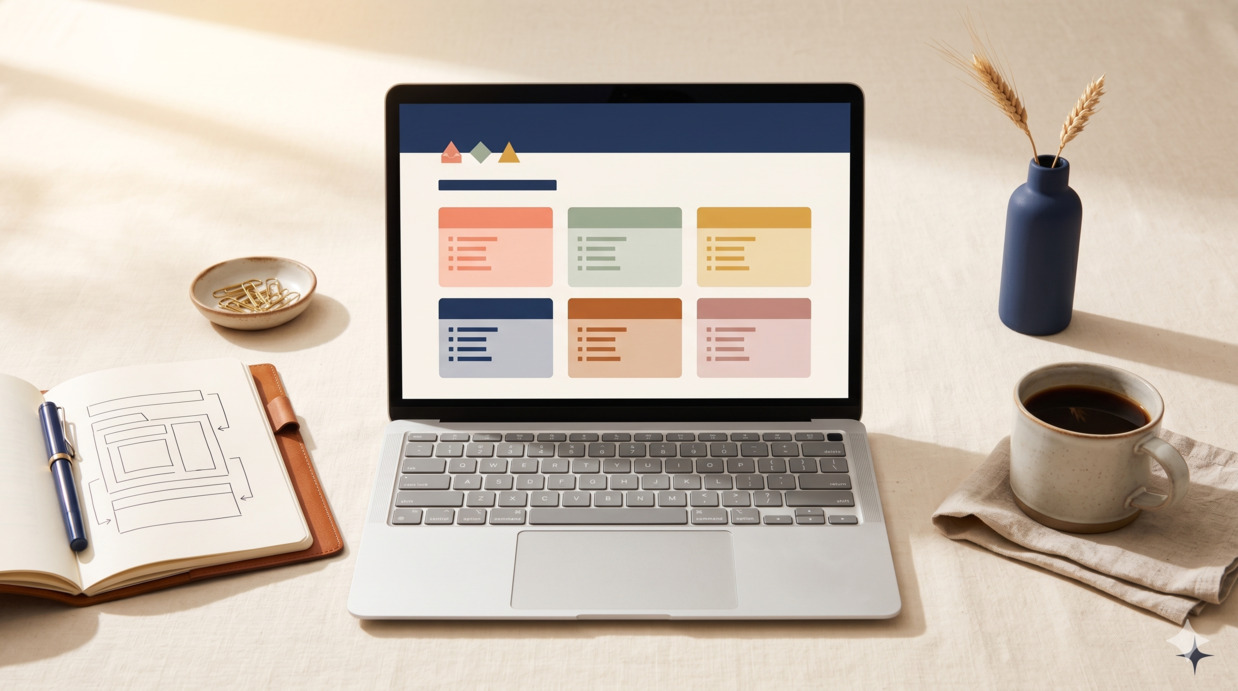
The "best Notion templates" search results are mostly listicles of 50+ templates with no curation, half of which are screenshots of marketing images and not actually usable templates. The list below is different. M.A. has used Notion as the operating system for the archive's own editorial workflow for over 18 months, plus tested dozens of solopreneur-targeted templates from the marketplace, and the 25 templates below are the ones that earned a spot in real workflows. Each entry includes what it does, whether to build or buy, and where it fits into a typical solopreneur setup. We'll cover the five template categories every solopreneur eventually needs, then close with how to actually decide what to build vs buy and how to avoid the template-collecting trap.
How to read this list
Three operating principles before the templates.
Templates aren't tools, they're starting points. The value of a template isn't the boxes it draws — it's the structure of thinking it encodes. A great CRM template teaches you what to track about clients; a mediocre one just gives you a place to track. Pick templates that match how you actually want to work.
Build vs buy is a real question. Building a template yourself takes 30-180 minutes for most of these and produces something that exactly fits your workflow. Buying takes 5 minutes and gives you something that fits 70% of your workflow. The right answer depends on whether you're paying for time or paying for thinking — most beginners buy too eagerly; most veterans build too eagerly.
Use 5-10 templates well, not 30 templates poorly. Notion power users typically run 5-10 actively-used templates and have abandoned dozens of others. Plan for this from the start.
Category 1: CRM and clients (5 templates)
The first category most service-business solopreneurs need. Tracking who you're talking to, what stage they're in, and what you owe them.
01. Simple client CRM
What it is: a database of clients with status (lead / proposal / active / paused / past), engagement type, key dates, and notes. Each client has their own page with conversation history, deliverables, and shared docs.
Build or buy: Build. This is one of the most important templates to build yourself because the structure should match how you sell — not someone else's sales process.
Build it in: 60-90 minutes for a clean version.
02. Lead pipeline
What it is: a kanban-style view of your sales pipeline, with leads moving through stages (introduced → qualified → proposal sent → negotiating → closed). Each lead is a database row with contact info, source, value, and next action.
Build or buy: Build. Five minutes to add a kanban view to the CRM template above.
03. Client onboarding checklist
What it is: a template page that gets duplicated for each new client, containing the steps from "contract signed" to "first deliverable." Welcome email, intake form, kickoff call, deliverable schedule, payment setup.
Build or buy: Build, and refine over time. The first version takes 30 minutes; you'll add steps as you encounter situations the original didn't cover.
04. Meeting notes hub
What it is: a database of meeting notes, each entry tagged by client, project, and date. Every entry has the same structure — agenda, decisions, action items, follow-ups. Action items can be filtered into a separate task list.
Build or buy: Build. The hub itself is simple; the value comes from establishing a habit of using the same structure for every meeting.
05. Proposal template gallery
What it is: a collection of proposal templates for different service types. Each template is a Notion page with placeholder text, pricing options, and a clean export-to-PDF layout.
Build or buy: Buy if you've never made a proposal before; build if you have a clear sense of what your proposals should say. Paid templates from the Notion marketplace ($15-49) handle the structural work that's tedious to build from scratch.
Category 2: Content and editorial (5 templates)
For solopreneurs who produce content — blog posts, newsletters, social, video — as part of their business.
06. Editorial calendar
What it is: a database of all content with status (idea / drafting / editing / scheduled / published), publish date, channel, and target audience. Filtered views show "publishing this week" and "in drafting."
Build or buy: Build. The editorial calendar is the most personal of all content templates — what works for one publisher is wrong for another. Spend the time to make yours match your actual cadence.
Build it in: 90 minutes for a working version, refined over the first 30 days of use.
07. Idea capture inbox
What it is: a low-friction inbox where any content idea goes. Each idea has a one-line description and gets triaged weekly into either the editorial calendar or the "maybe later" archive. Critical: no other fields. Friction kills idea capture.
Build or buy: Build. Five minutes. The simplicity is the point.
08. Blog post template
What it is: a duplicatable page that contains the structure for a standard blog post — outline section, draft section, edit checklist, publish checklist, and post-publish promotion checklist.
Build or buy: Build. Your blog post structure is part of your editorial voice; bought templates impose someone else's structure.
09. Social content database
What it is: a structured database of social posts across platforms (LinkedIn, Twitter/X, Threads, Instagram). Each post is a row with platform, date, status, performance metrics. Useful for batching content creation and tracking what works.
Build or buy: Buy if you're posting across 3+ platforms; build if you're focused on 1-2. Several paid templates ($19-39) handle multi-platform tracking well.
10. Newsletter editorial workflow
What it is: a workflow template for producing a recurring newsletter — research links collection, draft section, sender review, scheduled queue. Often coupled with the editorial calendar above.
Build or buy: Build. Newsletters benefit from a workflow that matches your specific cadence (weekly / biweekly / monthly).
Category 3: Projects and tasks (5 templates)
Where most solopreneurs over-template, because there are infinite "perfect productivity systems" available. The right answer is usually simpler than what's marketed.
11. Master task database
What it is: one database where every task lives. Each task has properties for status, priority, due date, project, and effort estimate. Multiple views (by project, by date, by priority) filter the same database.
Build or buy: Build. The single-database pattern is essentially the only Notion productivity setup that scales.
Build it in: 30 minutes.
12. Project tracker
What it is: a database of projects (each project is a row), with start date, target date, status, and a relation back to the master task database. Each project page contains its tasks, notes, and deliverables.
Build or buy: Build. The project ↔ task relation is straightforward to set up.
13. Weekly review template
What it is: a duplicatable page used every Friday or Sunday. Sections: what shipped, what's stuck, lessons learned, top 3 priorities for next week, weekend hours. Becomes a dated history of your work over time.
Build or buy: Build. The review pattern is well-documented; the template is 15 minutes to create. Most of the value is in actually doing the review weekly, not in the structure.
14. Daily working page
What it is: a single page that you live in during the workday. Top section is today's 3 priorities; middle is a scratchpad; bottom is notes that get triaged later. Replaces the "open 17 tabs" working pattern.
Build or buy: Build. Five minutes.
15. Goal tracking
What it is: a database of goals (quarterly or monthly), with target outcomes, status, and weekly check-in fields. Linked to the projects and tasks that ladder up to each goal.
Build or buy: Buy if you want a more developed goal-setting framework (OKRs, EOS-style, etc.) that's already structured. Build if you just want simple goal tracking. Paid templates ($19-49) for specific frameworks save real setup time.
Category 4: Finance and operations (5 templates)
The category most solopreneurs skip until tax season, then regret skipping.
16. Income and expense tracker
What it is: a database of all business income (with client, date, amount, project) and a parallel database of expenses (with category, date, amount, business purpose). Filtered views show monthly totals.
Build or buy: Build. The structure is simple, and your specific income/expense categories are personal to your business. Don't pay for what's essentially a structured spreadsheet.
Build it in: 45 minutes for both databases.
17. Invoice tracker
What it is: a database of invoices (sent, paid, overdue) with client, amount, date sent, due date, and paid date. Filtered view shows "outstanding more than 30 days."
Build or buy: Build. The simple version is 15 minutes. For more complex invoicing (recurring, multi-currency), use a dedicated tool like Stripe or FreshBooks rather than building it in Notion.
18. Subscriptions audit
What it is: a database of all your business subscriptions with monthly cost, renewal date, and a usage rating (high / medium / low / abandoned). Quarterly review identifies subscriptions to cut.
Build or buy: Build. The value is the discipline of running the audit, not the database itself.
19. Tax-prep workspace
What it is: a folder of pages and databases you'll need for tax season — income summary, expense summary by category, mileage log if applicable, home office tracking, business asset log.
Build or buy: Buy if you're new to small-business taxes; build if you've been through one tax cycle. Paid templates from accountants ($29-79) often include the IRS-relevant categorisation that saves real time at filing.
20. Pricing and packages
What it is: a structured page with your service offerings, pricing tiers, what's included in each, and your "no" list (work you don't do, edge cases, scope boundaries). Used as the source for proposals and quotes.
Build or buy: Build. Your pricing should be deeply personal to your business; bought pricing templates impose a generic structure.
Category 5: Personal and goals (5 templates)
Templates that aren't strictly business but tend to come up in solopreneur context because the line between work and life blurs.
21. Annual planning template
What it is: a duplicatable page used at the start of each year (or quarter). Sections: review of past period, themes for the next, top 5 outcomes wanted, top 3 things to say no to, monthly milestones.
Build or buy: Buy if you want a developed annual-planning framework; build if you have your own. Several thoughtful annual-review templates exist for $19-49.
22. Reading and learning log
What it is: a database of books, courses, podcasts, and articles. Each entry has a status (reading / completed / abandoned), notes, and key takeaways. Useful for solopreneurs whose business depends on continuous learning.
Build or buy: Build. Simple structure.
23. Personal CRM
What it is: a database of personal relationships with contact info, last contact date, and notes. Used to maintain professional and personal networks deliberately rather than reactively.
Build or buy: Build, but with caution. Personal CRMs work well for some people and feel weird for others. Try a minimal version before investing in a polished template.
24. Habit tracker
What it is: a database where each row is a day, with checkbox columns for habits you're tracking (publishing, exercise, deep work hours, etc.). Visual at-a-glance compliance.
Build or buy: Build. Five minutes.
25. Brain dump page
What it is: a single page where you dump thoughts, drafts, ideas, complaints — anything — without structure. Triaged weekly into other systems or archived. Critical that this exists; Notion users who lack one tend to either over-structure their inboxes or lose ideas entirely.
Build or buy: Build. Five minutes. The key is establishing the habit of dumping here first.
Build vs buy: the real decision tree
For each template, three questions:
1. Is the structure of the template the value, or is the content? For CRM, editorial calendar, and task databases, the structure is highly personal and you're better off building. For framework-driven templates (annual planning systems, OKR templates, specific niche workflows like real estate transaction tracking), someone else has done the structural thinking and you're paying for it.
2. Will I customise it heavily after installing? If yes, build from scratch — it's faster than gutting someone else's structure. If you'll use it as-is or with minor changes, buying is fine.
3. Is my time worth more than the template price? The cost-benefit check most beginners skip. A $39 template that saves you 4 hours of building is good value at any reasonable hourly rate. A $39 template that you'll customise heavily anyway is probably wasted.
How to avoid template collecting
A real failure mode for Notion-curious solopreneurs is buying or installing 10+ templates, never deeply learning any of them, and spending more time setting up productivity systems than producing actual work. Three rules to avoid this:
Use 2-3 templates for 30 days before adding a fourth. The fourth one should solve a problem the first three didn't, not just duplicate functionality.
Set a quarterly template audit. What did you use? What did you abandon? Delete the abandoned ones. Notion accumulates templates that haven't been opened in months.
The 90-minute setup rule. If a new template takes more than 90 minutes to set up before you can use it, the template is too complex for daily use. Simpler templates always win for sustained use.
Where to find good templates
Three sources, ranked by quality.
Notion's official template gallery (notion.com/templates) — free, broad, well-curated. The starting point for almost anyone.
Direct from solopreneur creators — paid, $9-79 typically. Often available on Gumroad, individual websites, or Notion's marketplace. Quality varies, but the best ones encode real expertise from people who've used the templates in their own businesses.
Specialised marketplace platforms (Notion Marketplace, Prototion, etc.) — paid, broad selection, mixed curation. Useful for finding niche templates that aren't on the main gallery.
Avoid: bundled "100 Notion Templates" packs sold at low prices on generic marketplaces. Quality is consistently poor and you'll spend more time deleting unused ones than using the few that work.
Frequently asked
Do I need Notion paid plans for these templates?
The free Notion plan is sufficient for 90% of solo use. Paid plans (Plus at $10/user/month, Business at $20) unlock collaboration features, version history, and more storage. Most solopreneurs can run on the free plan for the first 6-12 months and upgrade only when a specific limit is blocking work.
How long should I spend setting up a Notion system?
If you're new to Notion: 4-6 hours to set up a working system using 5-7 templates from this list. Don't aim for perfection; aim for "usable enough to start." You'll iterate.
Can I sell my own Notion templates as a side hustle?
Yes — it's a real category. Successful template sellers are typically subject-matter experts in a specific niche (freelance writing, real estate, fitness coaching) selling templates that encode their workflows. Generic productivity templates are a saturated market; niche templates aren't.
What's the most overrated Notion template category?
Generic "second brain" templates. They're sold heavily but used briefly. The ones that work are usually simpler than the ones marketed.
Should I use Notion AI with these templates?
Yes, for specific use cases. Action-item extraction from meeting notes, summarising long pages, generating descriptions for database entries — Notion AI pairs well with structured templates. We covered the broader question of Notion AI vs ChatGPT in detail.
What if I outgrow Notion?
Most solopreneurs don't, but some do. The migration paths are: spreadsheets and docs (Google Workspace) for simpler setups, Airtable for complex databases, dedicated tools (HubSpot for CRM, Asana for projects) for specific functions. Don't pre-emptively over-tool — Notion handles most solo workflows for years.
Are paid templates worth the money?
For specific cases, yes. Annual planning templates from creators with developed methodologies. Tax-prep templates from accountants who know IRS categories. Niche-specific workflows where someone's done 5+ years of refinement. For generic productivity templates, almost never — build it yourself.
What to do next
Don't try to install all 25 today. Pick the 3-5 you'd genuinely use this week — for most solopreneurs that's a master task database, an editorial calendar, an income tracker, a meeting notes hub, and a brain dump page. Build those, use them daily for 30 days, then add more from the list as needs surface.
For the AI side of Notion, Notion AI vs ChatGPT covers when to add AI to your template setup. For the broader free-tool stack solopreneurs run on, free AI tools that replace paid software covers everything outside Notion.
Drop your email below to get one tested side-hustle idea per week — including specific Notion workflow tactics when they're worth sharing.
How this article was made
Written by The Hustle Archive Team. Tested by M.A.. Fact-checked by J.R.. Originally published March 12, 2026, last updated April 22, 2026. Read our editorial policy and the methodology behind our rankings.
Found an error? Tell us— we update articles within a week.
Free download
50 ChatGPT Prompts Pack
The prompts we actually use — for editing, research, content, client work.
Read next
More from the archive

AI Tools · 13 min
Notion AI vs ChatGPT: Which Wins for Solopreneurs (2026)?
We tested Notion AI and ChatGPT side-by-side on 7 solopreneur workflows. Honest comparison of cost, output quality, and where each one wins.
Read more
Side Hustles · 19 min
Side Hustles for Retirees in 2026: 17 Methods That Actually Fit a Slower Life
What actually works as a retirement side hustle in 2026: methods sorted by tech comfort, time commitment, and whether they pause cleanly when life happens. Honest income ranges, realistic timelines, and the categories we'd specifically avoid.
Read more
Make Money Online · 22 min
How to Make Money on YouTube Without Showing Your Face: The Honest 2026 Guide
What actually works for faceless YouTube channels in 2026 after the AI-content crackdown: the 5 channel formats that survived, realistic income timelines, the math behind monetisation, and the 4 strategies we'd skip.
Read more


